
iTunes Gift Cards UAE Store
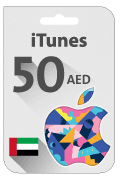
iTunes Gift Card AED50 - (UAE Store)
53.40 SAR
Redeem a gift card with your iPhone, iPad, iPod touch: • On your iPhone, iPad, or iPod touch, open the App Store. • At the bottom of the screen, tap Today. • At the top screen of the screen, tap the sign-in button or your photo. • Tap “Redeem Gift Card or Code”. • Tap “Use Camera” or “Enter Code”, then follow the instructions on the screen. Make sure that you enter the 16-digit code that begins with X. • Tap Done. Redeem a gift card on your computer: • On your Mac, open the App Store. • Click your name or the sign-in button in the sidebar. • Click “Redeem Gift Card”. • Click “You can also enter your code manually”, then follow the instructions on the screen. Make sure that you enter the 16-digit code that begins with X. Redeem a gift card on Web: • Go to https://appleid.apple.com/ • Click on store from above bar. • Click on Apple Gift Card. • Click on Redeem. • You will enter your code. Make sure that you enter the 16-digit code that begins with X. • Press Enter.